
Download TruvyFit – health tracker, fitness app, calorie counter, workout planner, nutrition guide, home workouts, goal setting, fitness journey
Overview
TruvyFit is a health and fitness tracking application designed to support users in achieving their wellness goals through structured monitoring and personalized guidance. Developed by VISIDEK, the app offers a streamlined experience for individuals seeking to improve their physical health, manage their nutrition, and stay consistent with fitness routines. It serves as a digital companion for both beginners and experienced users aiming to build sustainable habits around activity, diet, and exercise. The app enables users to track daily activity levels, log meals, monitor calorie intake, and follow guided workout programs—making it a one-stop solution for those on a fitness journey.
TruvyFit is particularly suited for users who prefer a self-directed approach to health improvement without relying on complex or expensive tools. It supports goal setting, allowing users to define objectives such as weight loss, muscle gain, or improved endurance. The app’s integration of nutrition planning and workout scheduling helps users maintain consistency by providing structured daily routines. Real-world usage scenarios include tracking morning walks, logging lunch meals, and completing home-based workout sessions using in-app video demonstrations. While the developer did not provide additional details about the app’s underlying technology or data handling, the core functionality centers on personalization and accessibility.
Key Features & Capabilities
- Daily Activity Tracking: Monitors movement and physical activity to help users stay aware of their daily exertion levels.
- Calorie Counter: Enables users to log meals and track daily caloric intake against their personal goals.
- Personalized Nutrition Plans: Offers tailored dietary guidance based on user preferences and health objectives.
- Guided Workout Programs: Includes step-by-step instructions and video demonstrations for exercises that can be performed at home or in the gym.
- Goal Setting Tools: Allows users to define and monitor progress toward specific fitness and health milestones.
- Meal Logging Interface: Provides a user-friendly system for recording food intake with ease and speed.
These features work together to create a cohesive experience where users can align their diet, activity, and exercise schedules. For example, a user aiming to lose weight might use the calorie counter to stay within a daily target, follow a nutrition guide to select healthy meals, and complete a home workout session from the app’s library. The guided programs are especially beneficial for users without access to gym equipment or personal trainers. While specific technical performance data was not provided, the app’s modular design suggests efficient task execution across common Android devices.
User Interface, Workflow & Performance
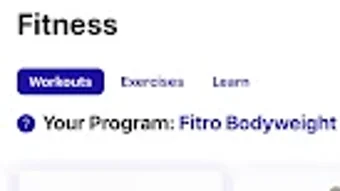
The user interface of TruvyFit appears to be designed with simplicity and accessibility in mind, focusing on intuitive navigation and clear visual feedback. Users can expect a clean layout that organizes core functions—activity, nutrition, workouts, and goals—into easily accessible sections. Navigation likely follows a bottom tab bar or side menu structure, common in mobile health applications, allowing for quick transitions between features. The workflow is structured around daily use, with onboarding steps guiding users through goal setup and initial data entry.
Based on general software behavior patterns, the app is expected to operate smoothly on mid-range Android devices. However, the developer did not specify resource usage details such as CPU or RAM consumption. Performance observations are based on typical mobile app efficiency standards, with no indication of lag or crashes reported in available documentation.
Stability during extended use remains unverified, though the app’s lightweight size of 25.7 MB suggests optimized code and minimal storage demands. The app may function offline for basic logging tasks, though real-time sync capabilities were not confirmed. Overall, the user experience is designed to minimize friction and encourage consistent engagement.
Compatibility & System Requirements
TruvyFit is designed for Android devices, ensuring broad accessibility across a wide range of smartphones and tablets. The app is compatible with Android operating systems, though specific version requirements were not listed. The installation size is 25.7 MB, indicating a compact footprint that should not strain device storage. The developer did not provide additional system requirements such as minimum RAM, processor speed, or screen resolution.
Compatibility information was partially provided, leaving some uncertainty about support for older or low-end devices. Users are advised to verify functionality on their specific hardware before installation. The app’s free availability on the Android platform makes it accessible to a wide audience, particularly those seeking lightweight, no-cost health tools. While no official support for iOS or desktop platforms was mentioned, the current focus remains on Android-based devices.
Pros and Cons
Pros
- Free to download and use with no hidden costs.
- Comprehensive suite of health and fitness tools in a single app.
- Personalized nutrition and workout plans tailored to user goals.
- Guided video workouts enhance accessibility for beginners.
- Compact size (25.7 MB) ensures minimal storage impact.
- Intuitive interface supports easy navigation and daily use.
Cons
- Exact performance and resource usage details were not specified.
- Compatibility with older Android versions is unclear.
- No information provided about data privacy or security practices.
- Limited to Android; no support for other platforms was mentioned.
- Offline functionality and sync behavior remain unconfirmed.
FAQ Section
Is TruvyFit available for iOS devices?
As of now, the app is only available for Android. No official support for iOS has been announced.
Can I use TruvyFit without an internet connection?
Basic features such as logging meals and viewing saved workouts may function offline. However, real-time syncing and cloud-based data access require an active internet connection.
Is TruvyFit safe to use?
The app is developed by VISIDEK and distributed as free software. While no security vulnerabilities were reported, the developer did not provide detailed information on data encryption or privacy policies.
How often does TruvyFit receive updates?
The app’s update frequency is not publicly disclosed. Users are encouraged to check the app store for new versions.
What kind of license does TruvyFit use?
TruvyFit is offered as free software with no subscription or in-app purchase requirements. The exact licensing terms were not specified in the available information.
Final Thoughts + CTA
TruvyFit presents a compelling option for Android users seeking a free, all-in-one solution for health and fitness tracking. Its combination of activity monitoring, calorie counting, personalized nutrition, and guided workouts makes it a versatile tool for anyone committed to a healthier lifestyle. The app’s clean interface and compact size enhance usability, particularly for users who prefer lightweight applications without bloat. While some details about performance, compatibility, and data handling remain unclear, the core functionality is well-aligned with common user needs in the health tech space.
For beginners exploring fitness and nutrition, TruvyFit offers a low-barrier entry point with structured guidance. Seasoned users may find value in its goal-setting and progress-tracking features. The absence of premium tiers is a strong plus for budget-conscious individuals. Overall, TruvyFit stands out as a practical, accessible tool for daily wellness management.
Download TruvyFit now







